

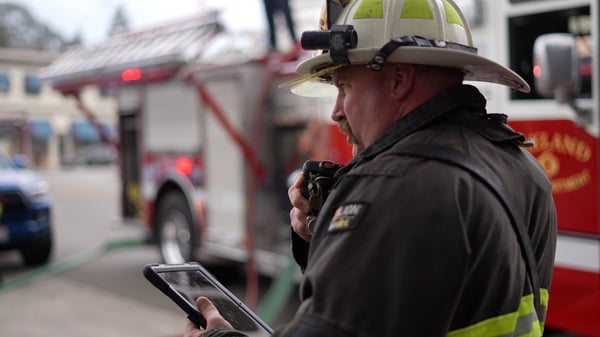
The fire is out, the hose is being reloaded, and the adrenaline that fueled the last two hours is beginning to fade.
For the command staff, however, the work is not finished.
The Incident Commander sits in the vehicle, looking at a paper tactical worksheet covered in scribbles, crossed-out unit identifiers, and water stains. They’re trying to reconstruct the timeline of events while the details are still fresh, but the specific minute a group was established or when exactly the transition to defensive operations occurred is already starting to blur.
The radio traffic and the dispatch logs tell an incomplete story while the tactical reality on the ground was much more complex.This disconnect between the clarity of the action and the haze of the aftermath is a standard friction point in the fire service, turning what should be a factual record into an exercise in memory and estimation.
What is the Problem with AARs?
The difficulty in producing accurate After-Action Reports (AARs) and incident narratives stems from the inherent nature of incident command and the way information moves during a crisis.
During the heat of the incident, the priority is always current operations. The Incident Commander is focused on the next five minutes, not the historical record. Information flows in through multiple channels, including radio traffic, face-to-face updates from runners, visual observations of smoke conditions, and mobile data terminals.
Because this information is scattered across different mediums, the record of the incident is fragmented from the start. Dispatch logs are excellent at capturing status changes like "en route," "on scene," or "available,” but they don’t always capture the tactical context that matters most for future learning.
A CAD log might show that Engine 4 arrived at 14:02, but it does not show that Engine 4 was immediately assigned to search and rescue on the second floor, encountered high heat, and requested a backup line three minutes later. That critical piece of operational data often exists only in the Incident Commander’s memory or on a physical notepad that changes rapidly as the incident evolves.
As the incident grows in complexity — perhaps expanding to a second alarm or involving mutual aid units on different radio frequencies — the gap between the official log and the tactical reality widens. Units are reassigned from Fire Attack to Overhaul, divisions are created and dissolved, and benchmarks are met. In a manual workflow, these changes are often overwritten on a whiteboard or noted in shorthand that becomes difficult to decipher hours later.
When it comes time to write the report or conduct a critique hours later, the Incident Commander is forced to bridge the gap between the rigid dispatch timestamps and the fluid tactical reality.
This reconstruction process is prone to error.
Memory is fallible, especially under stress and fatigue. Gaps in the timeline lead to generic narratives that fail to capture the nuance of the decision-making process.
For example, if a transition to defensive operations was delayed, the report might not accurately reflect the information the IC had at the time that caused the delay.
Consequently, the organization loses the opportunity to learn from the event because the report reflects a simplified version of what happened rather than the complex, messy reality of the operation.
This affects everything from liability protection to future training, as crews train based on recalled events rather than data-backed operational histories.
How Does a Shared Operational Picture Help?
The solution to cleaner reporting and more valuable training insights lies in the operational phase, not the administrative phase.
When command staff maintains a clear, shared operational picture during the incident, the foundation for the After-Action Report is built automatically, without adding a burden to the IC.
When assignments are tracked visually and updates are made in real-time to support decision-making, the history of the incident is preserved naturally. If the Incident Commander drags a unit on a screen from "Staging" to "Fire Attack," or creates a "Roof Division," that action serves two purposes simultaneously.
First, it immediately clarifies the scene for everyone looking at the board, ensuring that current accountability is accurate.
Second, it creates a timestamped record of that tactical decision in the background.
This alignment means that the post-incident review does not need to be an archaeological dig through radio logs and memory. The timeline of assignments, benchmarks, and tactical shifts is already established. A Chief or Training Officer can see exactly when the "All Clear" was given relative to the "Under Control" benchmark. They can see how long units were operating in a specific sector before being cycled out to Rehab.
This accuracy transforms the After-Action Review from a debate about who was where into a productive discussion about strategy and outcomes. Instead of spending the first twenty minutes of a critique trying to agree on the basic timeline, the team can immediately focus on the "why" and "how."
For example:
- Did the strategy match the conditions?
- Were resources deployed efficiently?
- Did the span of control remain manageable as the incident scaled?
Operational clarity during the event effectively closes the loop. It ensures that the lessons learned are based on facts rather than estimates. When the operational view is accurate, the report is simply a translation of that view into text, reducing the administrative burden on the officer and increasing the educational value for the department.
It allows the department to identify trends over time — such as consistent delays in water supply establishment or communication bottlenecks in specific mutual aid scenarios — that would otherwise be lost in the noise of vague reports.
What Practical Habits Improve Incident Data?
Command staff can improve the quality of their incident data by adopting habits that focus on real-time accuracy rather than post-incident reconstruction.
- Log the completion of tactical benchmarks immediately — such as "Primary Search Complete," "Utilities Secured," or "Water on the Fire" — to anchor the timeline around operational progress rather than just unit arrivals.
- Use a scribe or command aide specifically to track the movement of resources on the tactical board during high-tempo moments, ensuring the visual display matches the reality on the ground so the IC can keep their head up.
- Reconcile the tactical worksheet or command screen with the dispatch log before units clear the scene, identifying any major discrepancies while crews are still present to clarify details.
- Verbalize the reason for significant strategy changes, such as shifting from offensive to defensive, on the command channel so the rationale is captured in the audio recording and aligned with the tactical timeline.
- Assign units to specific functional groups or divisions in the tracking system as soon as the order is given, rather than leaving them in a generic "on scene" status, to ensure the record reflects their actual labor and location.
- Conduct a hot wash or tailbone with on-scene crews before leaving the scene to confirm the sequence of major events while memories are fresh.
By focusing on maintaining a clear operational picture during the response, departments inevitably produce better data for training, liability, and review. The effort spent gaining clarity on the fireground pays dividends long after the units have returned to quarters and the lights are turned off.
Want to see how agencies are using Tablet Command in the field?
See why Tablet Command is trusted by thousands of departments across North America. Click here to schedule a demo and we’ll walk you through how it works.